Public download not available yet
You can prepare your account and explore the guide now. We will publish the Windows build here when public access opens.
Follow alpha updates
Get your account ready. Find your crew. Make yourself at home in HavocTown.
Follow the steps below from your first sign-in to your first job in the city.
Account readiness and alpha availability are separate. Finishing account setup does not grant an invitation or make an unpublished build available.
Use a permanent email address you can keep access to. Your account holds your website profile and account settings.
Create accountOpen either verification email we send. Both links verify the same account; one successful verification is enough. Check spam if they are missing.
Create a game login in account settings. If you already have a game account, prove ownership with its current password to link it. Email verification alone does not create a game login.
You can prepare your account and explore the guide now. We will publish the Windows build here when public access opens.
Check access statusOnce you have access, meet at The Lot, talk to SARGE and follow your first objective. Bring a friend or explore at your own pace.
Your first sessionDownload from the release link on this page when it is available. Build access and server availability may change during alpha testing.
You can prepare your account and explore the guide now. We will publish the Windows build here when public access opens.
Follow alpha updatesMobile, console, macOS, Linux and Steam Deck support have not been announced.
Platform detailsStart with a small objective, then explore. The game guide covers combat, equipment, vehicles and all five worlds.
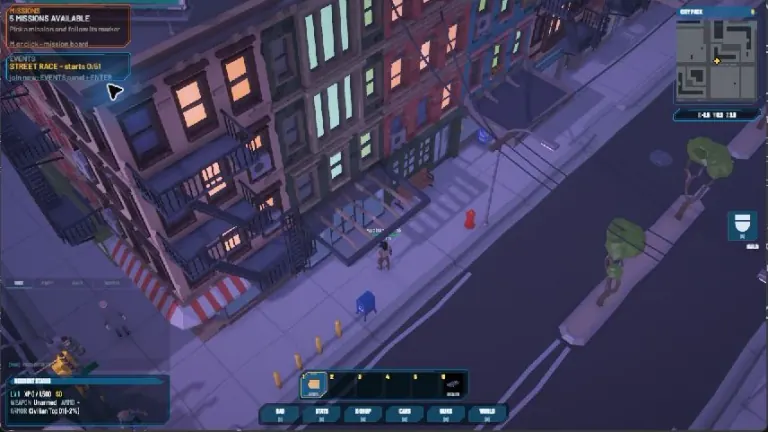
Use The Lot as a meeting point in the starting town. Talk to SARGE with F for level-based XP contracts. Eligible new characters get a three-step orientation.
Meet SARGEOpen WORLD with M to travel. SARGE’s jobs take you to Apocalypse City; follow the objective and its marker. Completion pays automatically.
Explore Apocalypse CityOpen PARTY with P, then MISSIONS with V. Create a party for solo or crew jobs. The leader selects SET ROUTE; other members use JOIN CREW.
Choose a crew missionFirst verify your website email and complete game-login setup in account settings. You also need an available client and access to the current test. The availability panel above shows whether a public download is open.
We send through two mail providers to improve delivery. The messages look slightly different, but either valid link verifies the same website account. You only need to use one. Check spam, promotions and your mailbox rules if neither arrives.
Open email verification to check or resend after signing in.
Use the game username shown after game-account setup. Website and game logins are linked through account settings; an existing game account needs its current password to prove ownership.
Check your game username, the current build and the server status. A verified website email is only one step: your game account also needs to be set up. If the issue continues, share the exact error and build version with support; keep passwords and verification links private.
Minimum and recommended PC requirements have not been announced. We will link confirmed requirements here when they are published.
HavocTown is in alpha. Features, balance and test progression can change or reset. Read the current test announcement before starting; this page does not promise final-release progression.